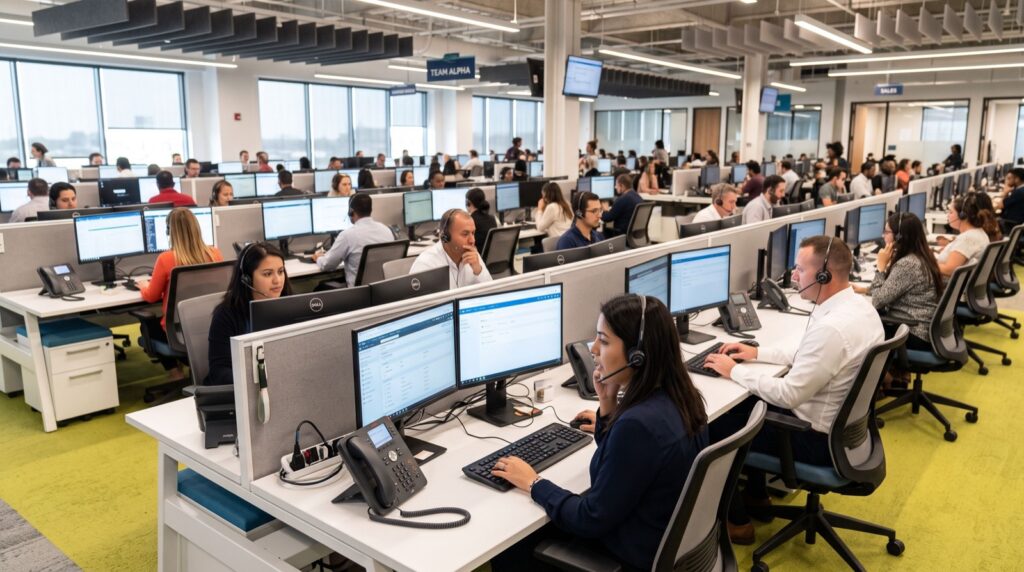
The way we work has shifted permanently, and business communication has had to shift with it. A few years ago the assumption was simple: every employee sat at a desk, and every desk had a phone. Now teams are scattered across home offices, coworking spaces, and headquarters, and the humble office telephone has had to reinvent itself to keep everyone connected. For managers building a modern, flexible workplace in Islamabad and beyond, the question is no longer whether to support hybrid working but how to give a distributed team the same seamless voice experience wherever they happen to be.
This is where a lot of businesses get stuck. Some rush to abandon physical handsets entirely, assuming a laptop app can do everything, only to find that executives and heavy phone users miss the reliability and comfort of a real device. Others cling to desk phones and leave their remote staff struggling with second-rate workarounds. The smarter path lies in understanding what desk phones and software clients each do best, then combining them into a single system that serves the whole team. This guide explains how to strike that balance without overspending or overcomplicating things.
The Hybrid Workplace Changes the Rules
When employees split their week between home and office, a phone tied to one physical location becomes a handicap. A client calling a salesperson does not care whether that person is at their desk or working from their living room, and they certainly should not have to dial two different numbers to find out. Internet-based phone systems solve this elegantly by attaching a person’s extension to them rather than to a place. The call rings wherever they are logged in, and the caller experiences a single, consistent point of contact. That location independence is the foundation everything else builds on.
Softphones: Flexibility in Your Pocket
A softphone is simply an application that turns a laptop or smartphone into a fully functioning office extension. For staff who travel, work irregular hours, or move between sites, it is liberating. They can make and receive business calls on the move, see the same contact directory as everyone else, and switch devices without missing a beat. The appeal is obvious and the cost is low, since the software rides on hardware people already own. For a startup or a lean sales team spread across the city, a softphone-first approach can be genuinely transformative and refreshingly affordable.
Why Desk Phones Still Earn Their Place
For all the convenience of software, a physical handset remains the tool of choice for anyone who lives on the phone. Executives, receptionists, and support agents value the tactile buttons, the superior microphone, and the simple fact that a dedicated device never competes with a crashing browser or a dying laptop battery. A quality desk phone also signals permanence and professionalism in an executive office. Something like the Fanvil V61G Prime Business Phone pairs a sharp colour display with the kind of comfortable, dependable handling that heavy users appreciate through a long day of back-to-back calls, which no app can quite replicate.
Blending Both Into One System
The real breakthrough is realising you do not have to choose. A well-designed platform lets desk phones and softphones coexist under the same set of extensions, so an executive can use a premium handset at the office and the matching softphone on their laptop at home, with calls following them either way. Reception can transfer a call to a colleague without knowing or caring which device that colleague is currently using. This unified approach means every employee gets the tool that suits their role and their working style, all while the business manages a single, coherent system rather than a patchwork of disconnected solutions.
Keeping Call Quality Consistent Everywhere
A distributed team introduces a new challenge: you no longer control every network your staff connect from. A patchy home broadband connection can undermine even the best hardware, so setting sensible expectations and providing guidance matters. Encourage remote staff to use wired connections where possible, position routers thoughtfully, and choose a codec that stays clear even on modest bandwidth. When persistent quality issues crop up at a particular site, bringing in dependable specialists to diagnose the network often reveals a simple fix, such as an overloaded router or poorly configured firewall, that transforms the experience for everyone connecting from that location.
Security and Control Across Many Locations
Spreading your phone system across dozens of home networks understandably raises questions about safety. The reassuring answer is that a properly configured system keeps you firmly in control. Encrypted connections protect calls travelling over the public internet, centralised management lets administrators add, remove, or reconfigure any extension from one dashboard, and strong authentication stops unauthorised devices from registering. Because everything is managed centrally, onboarding a new remote hire or disabling a departed employee’s access takes minutes, not days. That combination of flexibility and control is precisely what a growing, dispersed business needs.
Equipping the Team for the Long Term
Investing in the right mix of hardware and software is not just about today’s team but about the one you are building. Standardising on handsets and clients that share the same feature set keeps training simple and support predictable as you scale. Businesses across the capital increasingly source their fanvil ip phones in Islamabad alongside matching software clients so that new joiners, whether office-based or remote, slot into a familiar system from day one. That consistency pays dividends every time you expand, because there is no learning curve and no compatibility guesswork to slow the new hire down.
Key Takeaways
- Attach extensions to people, not places: so calls follow staff between home and office seamlessly.
- Use softphones for mobility: ideal for travelling, hybrid, and cost-conscious teams on devices they already own.
- Keep desk phones for heavy users: executives and support agents benefit from reliable, tactile hardware.
- Blend both under one system: a unified platform lets every role use its best-suited device.
- Mind remote network quality: wired connections and smart configuration keep calls clear everywhere.
- Manage centrally: encryption and one-dashboard control keep a dispersed system secure and easy to run.
Building a Communication System That Travels
The hybrid workplace is not a passing trend, and the businesses that thrive in it are the ones that treat flexible communication as core infrastructure rather than an afterthought. By understanding the distinct strengths of desk phones and software clients, and by weaving them into a single well-managed system, you give every member of your team the tools they need without forcing anyone into a compromise that hurts their productivity or the customer experience.
The payoff is a workforce that stays connected and professional whether they are in the boardroom, at the kitchen table, or on the road between meetings. That resilience and reach used to be the preserve of large enterprises with deep pockets, but modern internet-based systems have put it within comfortable reach of ambitious businesses of every size, ready to support your team through whatever the future of work looks like next.